Streamlining SSH Configuration
Config File
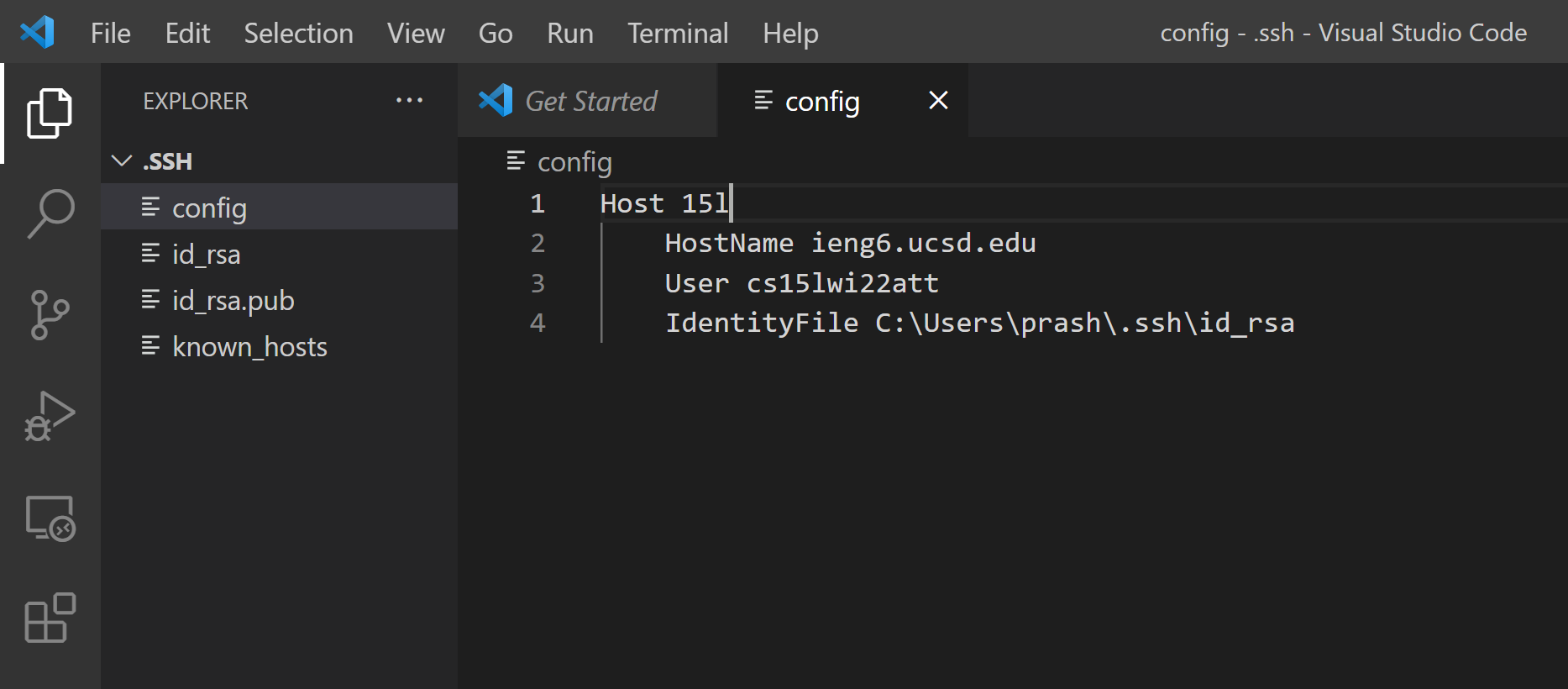 I created and edited my
 .ssh/config file with VS Code by opening the directory on the program. The directory was C:\Users\[username]\.ssh. Then I clicked on “New File” next to the “.SSH” dropdown on the left and named the file config with no specified extension. Shown above is the contents of my config file that uses an alias to streamline the ssh process into my remote server.
SSH Command
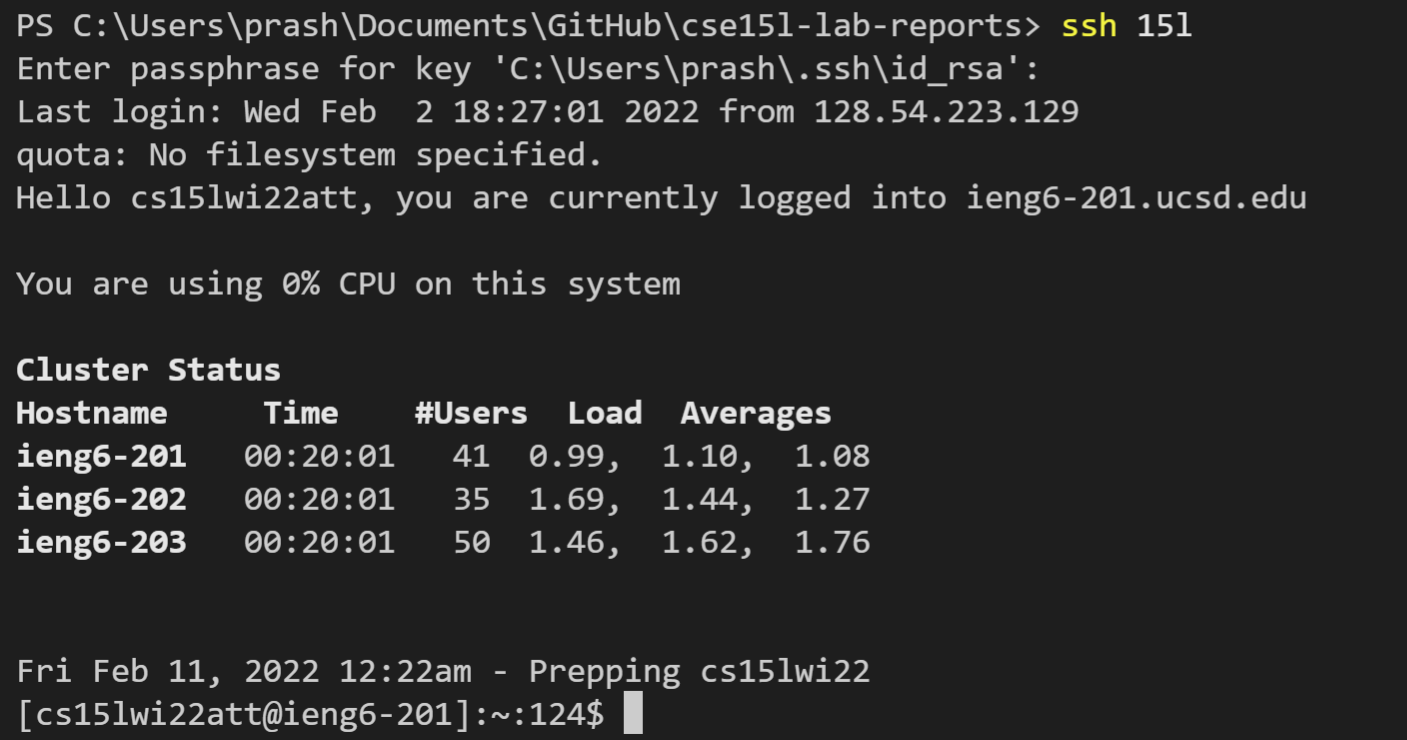 I chose the alias “15l” (seen in the config file) to quickly
 ssh into my remote server. It is much quicker than typing the full address of the server cs15lwi22zzz@ieng6.ucsd.edu. This command only requires 8 keystokes to log into the server, excluding the keystrokes for the passphrase. This is compared to 32 keystrokes (once again excluding passphrase) if you used the full address, which is 4 times more than using the alias.
SCP Command
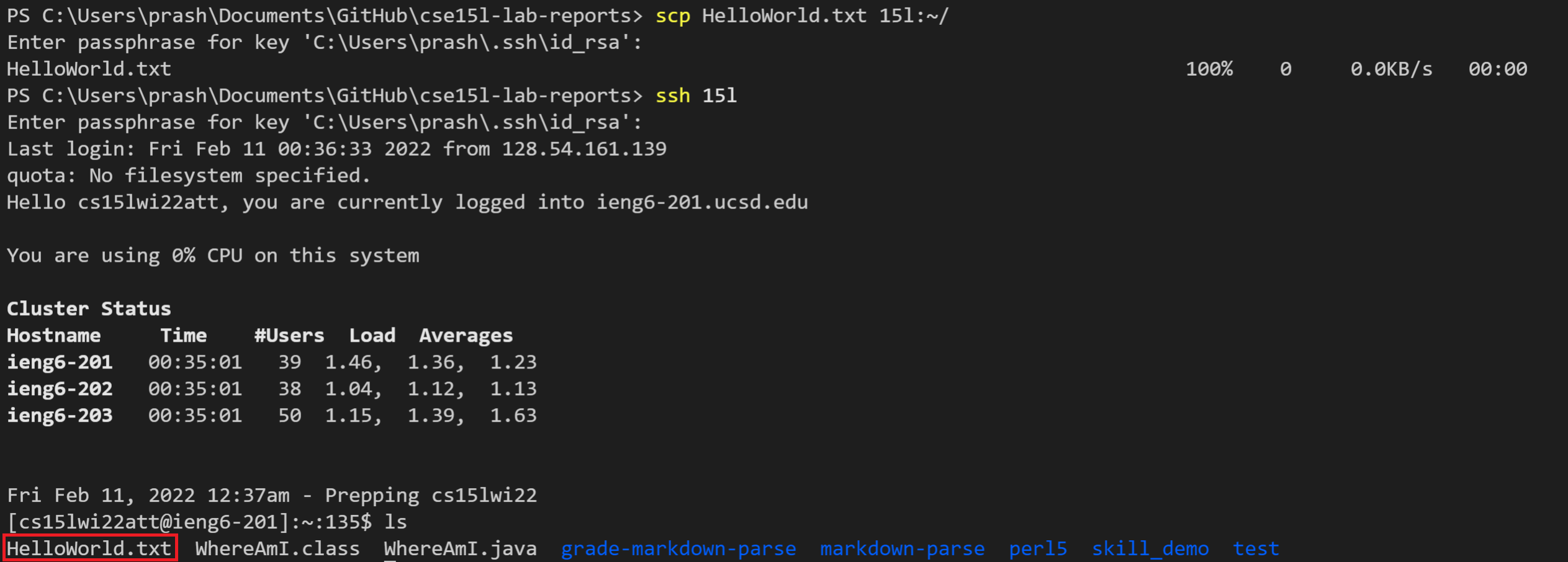 The
The scp command, the command to copy files, also becomes a lot quicker with an alias. On the client side, I was able to copy HelloWorld.txt to the home directory of my remote server simply by scp HelloWorld.txt 15l:~/. This only required 26 keystrokes, excluding the passphrase, while doing scp with the full address requires 50 keystrokes to copy over a file. As shown above, when we log into the remote server, HelloWorld.txt has successfully been copied to the home directory of the server.